Cloning a system using Clonezilla

It was just another Monday, or so it seemed. A couple of relatives and a few of my mother’s less non-technical friends needed some computer assistance. Being the great, amazing, and humble person that I am, I couldn’t let them go to a technician and pay top dollar for some fairly basic services (such as reformatting, or salvaging data from an external drive).
I found myself with 2 laptops and a very odd external-ish hard drive. I say external-ish because it was a 2.5" drive inside a lousy plastic case connected to a SATA-to-USB adapter and had a USB-A port (Who uses a USB-A port on a peripheral?!).
I started working on one of a laptops, it had 4GB of DDR3 RAM, and a 500GB HDD. My uncle asked me to prepare it for my cousin’s remote schooling. I gladly obliged.
I remembered that I had an SSD laying around, but it was pretty fancy and it would be a shame to install such a high-performance SSD in an older hardware laptop.
My own system was running on a lower-end, lower capacity SSD and I was meaning to change them anyway, but now I actually had that element of urgency to drive me. Why am I like this?
Despite being in IT for fairly long, most of my imaging experience has mostly been with WDS and I haven’t imaged a disk, so a quick Google lead me to find out about Clonezilla, which is a livebootable Linux distribution designed specifically for imaging, and I decided to give it a try!
I downloaded the ISO and flashed it to a USB drive, if you haven’t done this before, I really recommend using Rufus on Windows and BalenaEtcher on Linux for these operations. Once I finished flashing I turned off my system, connected the new SSD to the SATA interface, inserted the USB drive and booted to it.
I was then greeted with this screen:
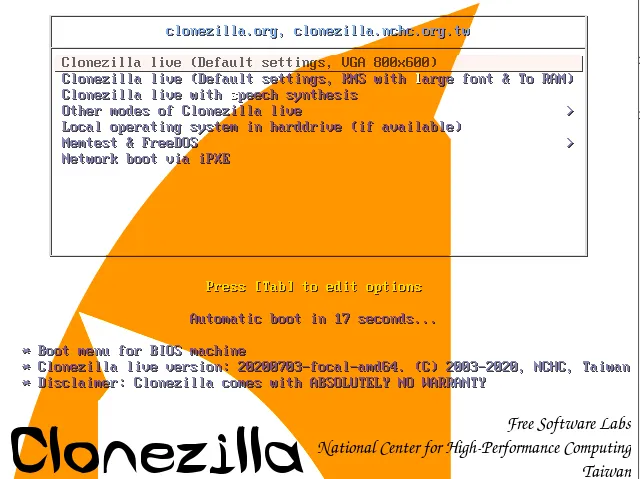
Well, I just chose the default option, but it’s nice to know visually-impaired people can also clone their machines! A few clicks to choose the keyboard layout and I arrived at this screen:
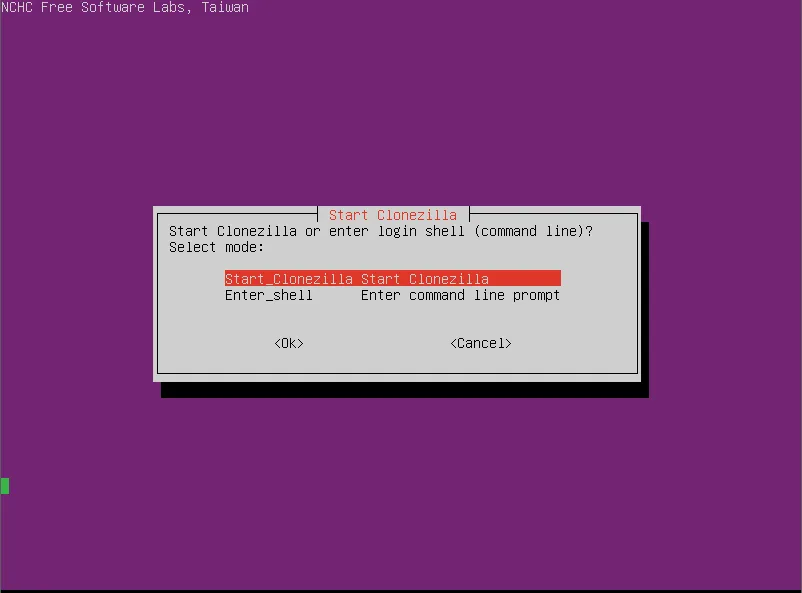
Although I’m usually a sucker for shell scripting, I decided to go in the more direct approach since I’m not familiar enough with the commands and am short on time.
Now here’s the juicy part:
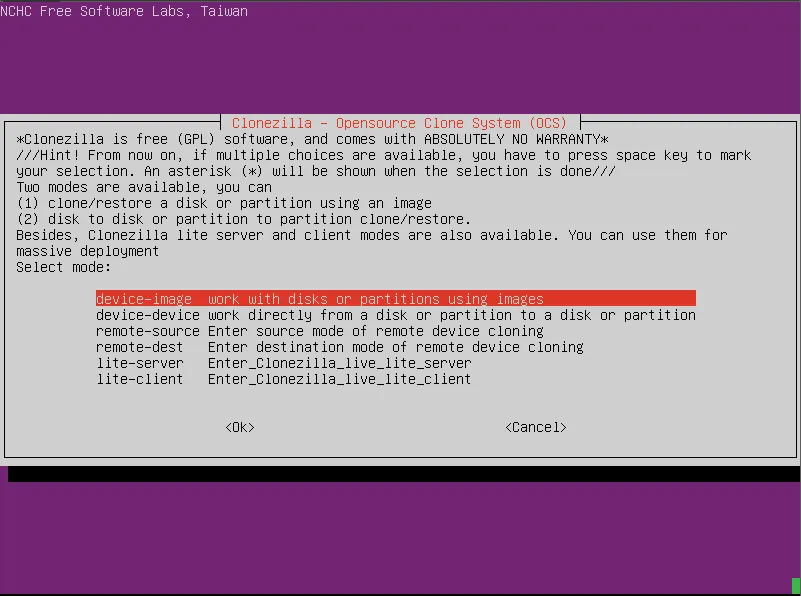
Since I’m imaging one drive to another, I chose the second option, device-device
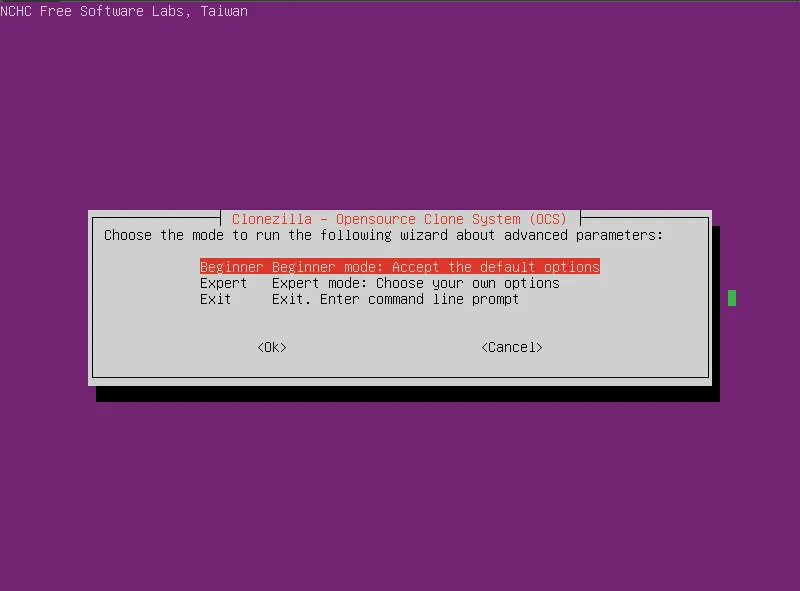
Beginner mode it is, I guess.
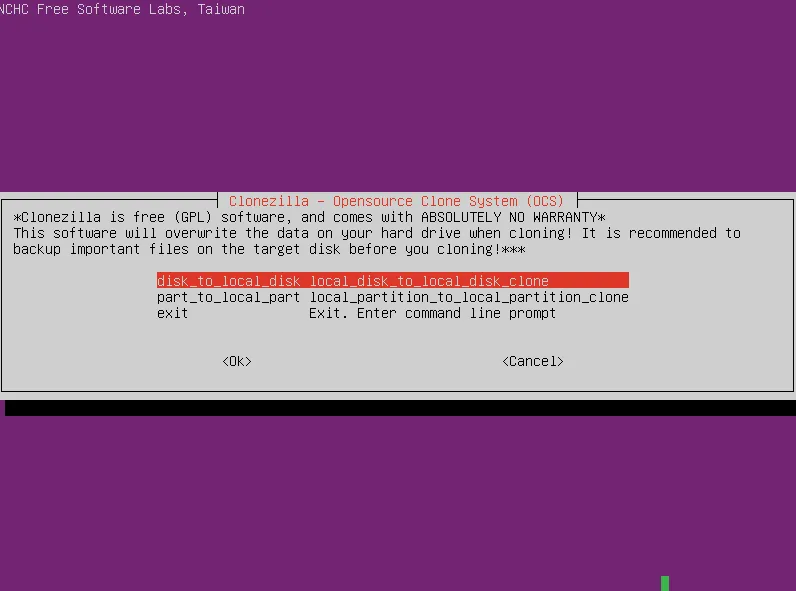
Since I want to completely mirror my OS disk, I chose to make a local disk to local disk clone.
Now I simply choose source and target:
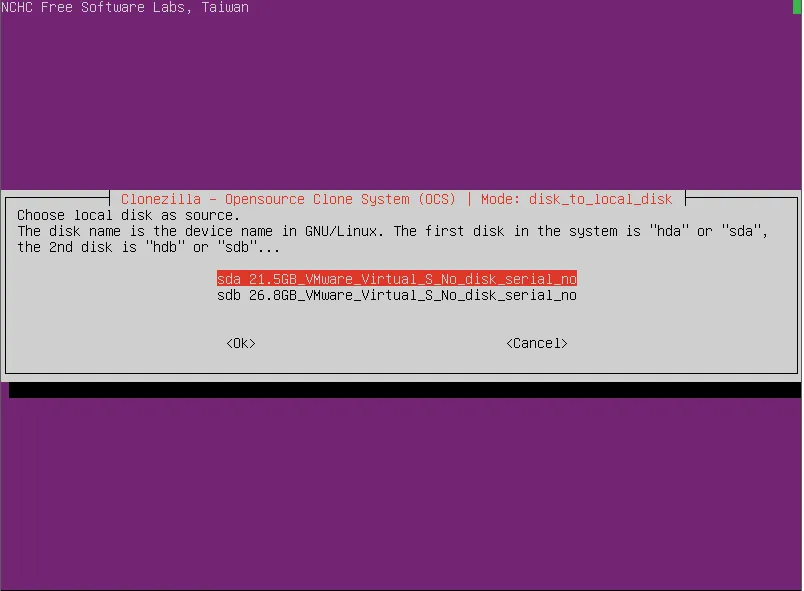
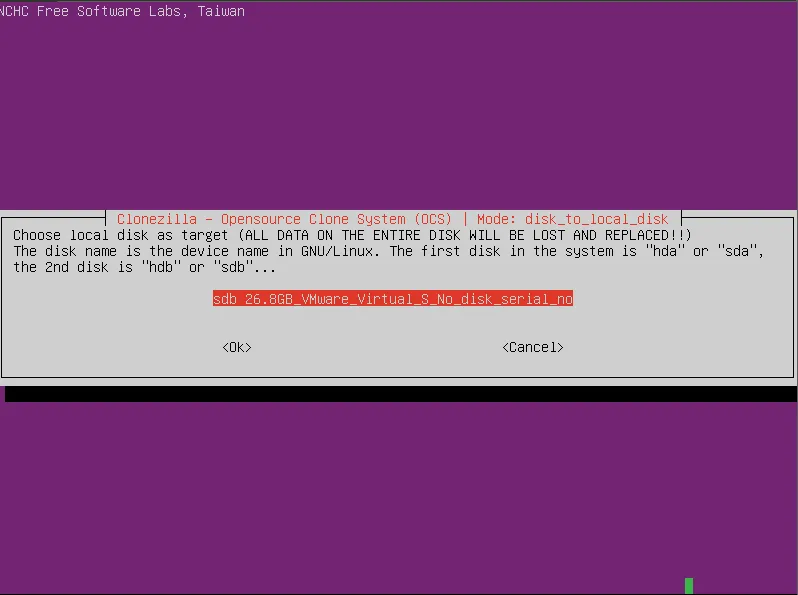
Then I needed to choose if I’d like to check and repair the source FS before cloning.
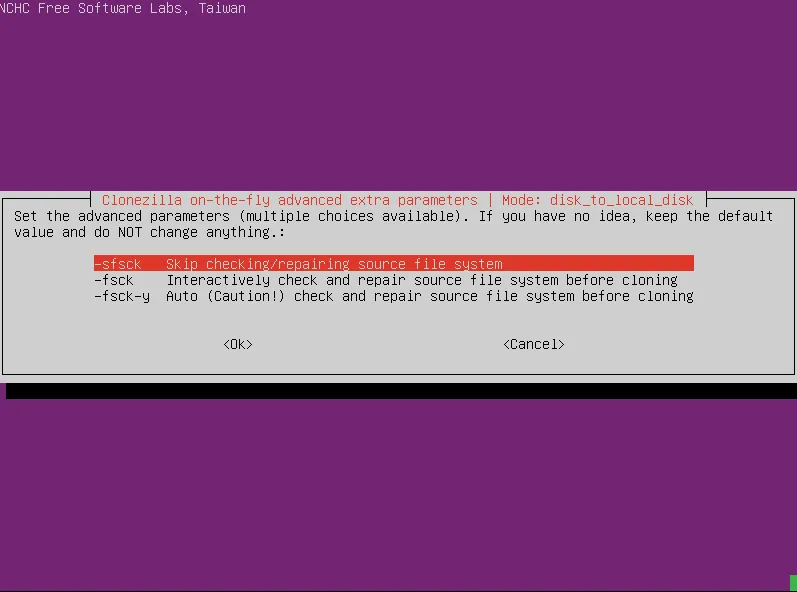
Well, since I didn’t face any issues I decided to skip this part.
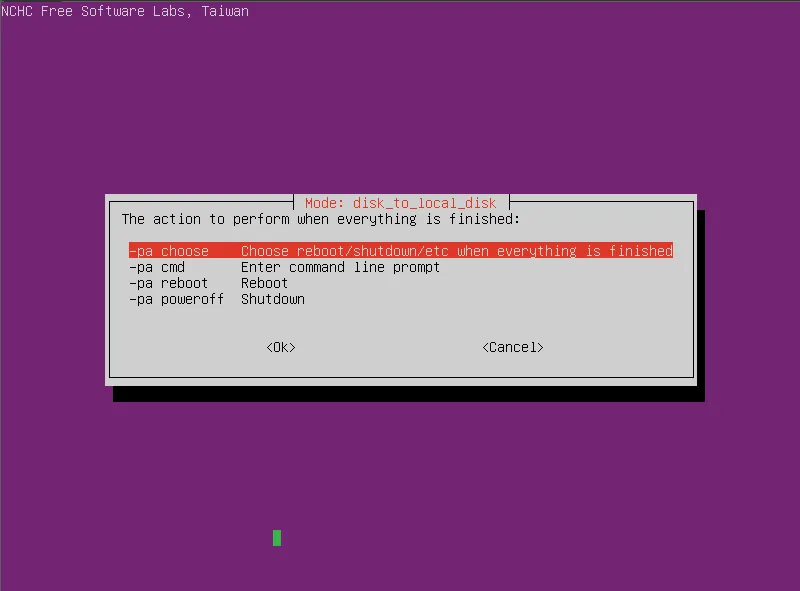
Now I just had to choose what to do after the operation is complete. I decided to just choose later because I’m a lazy bum who is afraid of commitment.
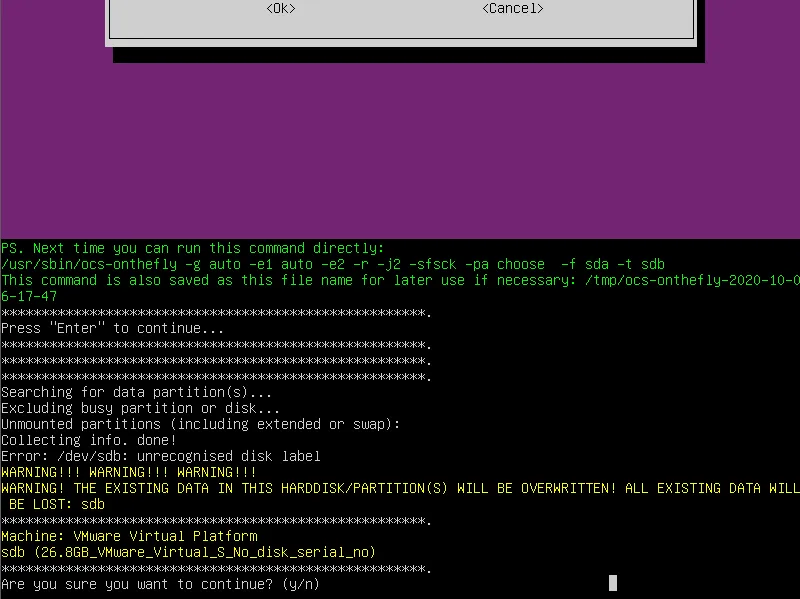
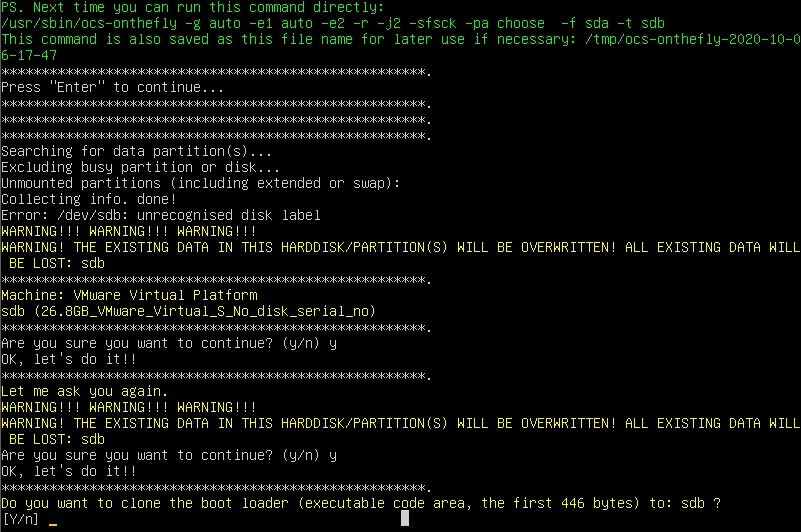
Well, I do want to clone the boot loader since I’m completely migrating everything (plus it’s a dual-boot system running Ubuntu an Windows 10 and booted by GRUB, so I wanted to make sure everything will work correctly from the get-go.
Well, that was it! once the operation finished I simply booted my machine from the new SSD (it actually did so by itself, these machines are getting too smart) and everything was working flawlessly without any need for further configuration.
I was happy we my new SSD, my cousin was happy with her renewed laptop, and the rest, as they say, is history.
- Category:
- Keywords:
