Adventures in Renaming AD Objects

As you’re well aware I’m definitely an AD person. Sure, with such a complex system it’s just a matter of time until you go insane, but for the most part it’s a reliable, widespread directory management solution. Recently I’ve been tasked with creating a bunch of users in an AD environment and having their “name” attribute be their full name (mostly for aesthetic reasons).
When I created the user objects with PowerShell, the common name (or CN for short) was the user’s login (Well, technically it’s the SamAccountName which initializes with the value from the name attribute).
Sidenote: This isn’t the only way or intended behavior, but I made a mistake and had to fix it :)
So after I created a bunch of users with PowerShell it looked something like this:
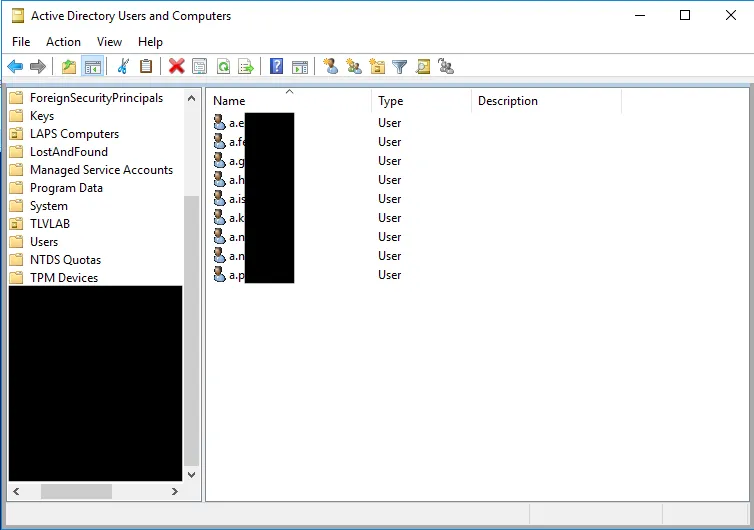
When you created a user directly through ADUC though, their “name” attribute was their full name, which was dynamically created as I typed in the user’s first and last name (And initials, if applicable).
Let’s look at my own user object, that I created via PowerShell’s New-ADUser command.

You can see that my common name is indeed o.fichman in the first section of the DistinguishedName attribute, the Name attribute, and the SamAccountName attribute. We’ll ignore the UserPrincipalName for now because even though it’s the same, I have put a specific custom suffix on it.
So I created these users, this wasn’t the intended outcome and I’d like to rename them. One way I could go about doing this is editing the user object’s name attribute with the Set-ADUser cmdlet
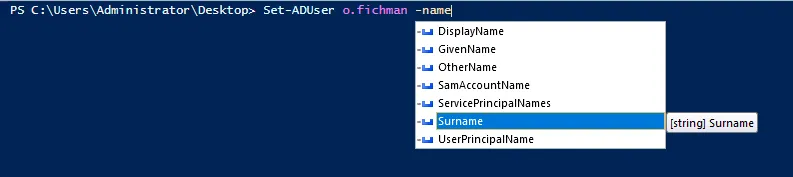
Hmm… I can’t really find the attribute I’m looking for, maybe I’ll just use the replace option.

Well, that didn’t go so well.
After digging around for a while I decided to give Rename-ADObject a try.
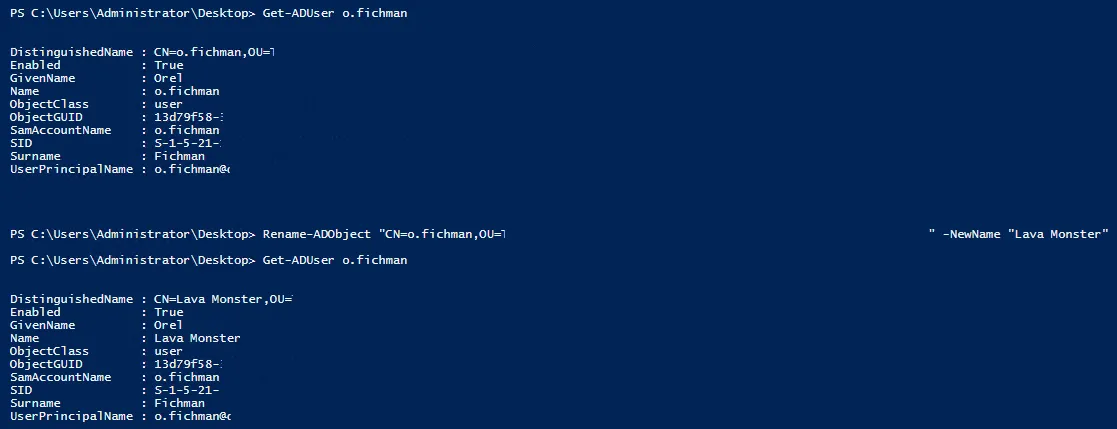
Lo and behold! It worked!
Let’s create another Lava Monster! (The following command will create a user in the default location, which is “CN=Users,DC=<YourDomain_Part1>,DC=<YourDomain_Part2>”)
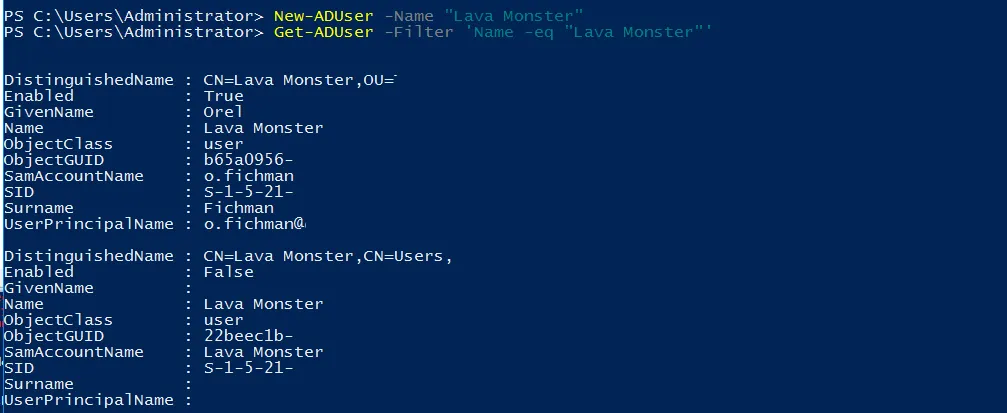
As you can see I now have 2 users with the name “Lava Monster”. That’s great! What if I try to create another one in the default location?

Why does this happen?
Well, in Active Directory, there are 3 attributes related to a user’s authentication for which uniqueness is enforced, but not all 3 were created equal, as this uniqueness is enforced in different levels of the directory.
The name attribute is one of them. This attribute must be unique in the container because if it wouldn’t be, we’d have 2 objects with the same distinguishedName (LDAP path).
The other 2 attributes are:
samAccountName - must be unique in the domain
userPrincipalName - must be unique in the forest
To summarize: Renaming object with PowerShell (and in general, perhaps) is not as straightforward as one might think. I hope you found this post informative and I hope it will save you some unnecessary headache and hassle.
- Category:
- Keywords:
